
Open the DATEV website and the official TOTP Authenticator app — you'll need it to generate codes. It's available for iOS on the App Store and for Android on Google Play.
Open the DATEV website → Sign in to the account you're creating and proceed to the security setup step (2FA / Authenticator App).
The DATEV service provides a unique 32-character secret key. Don't share it with anyone, so your account can't be hacked.
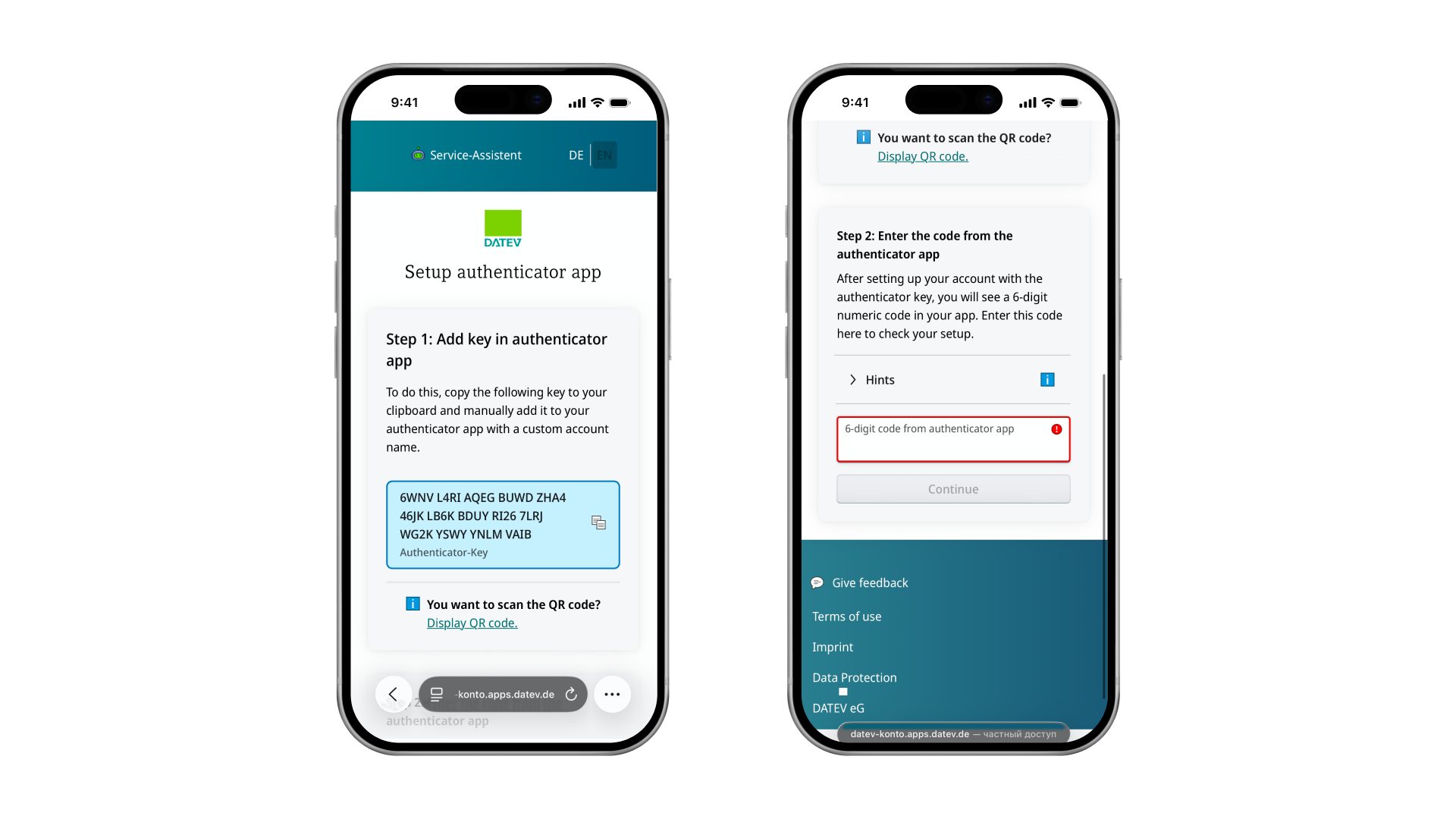
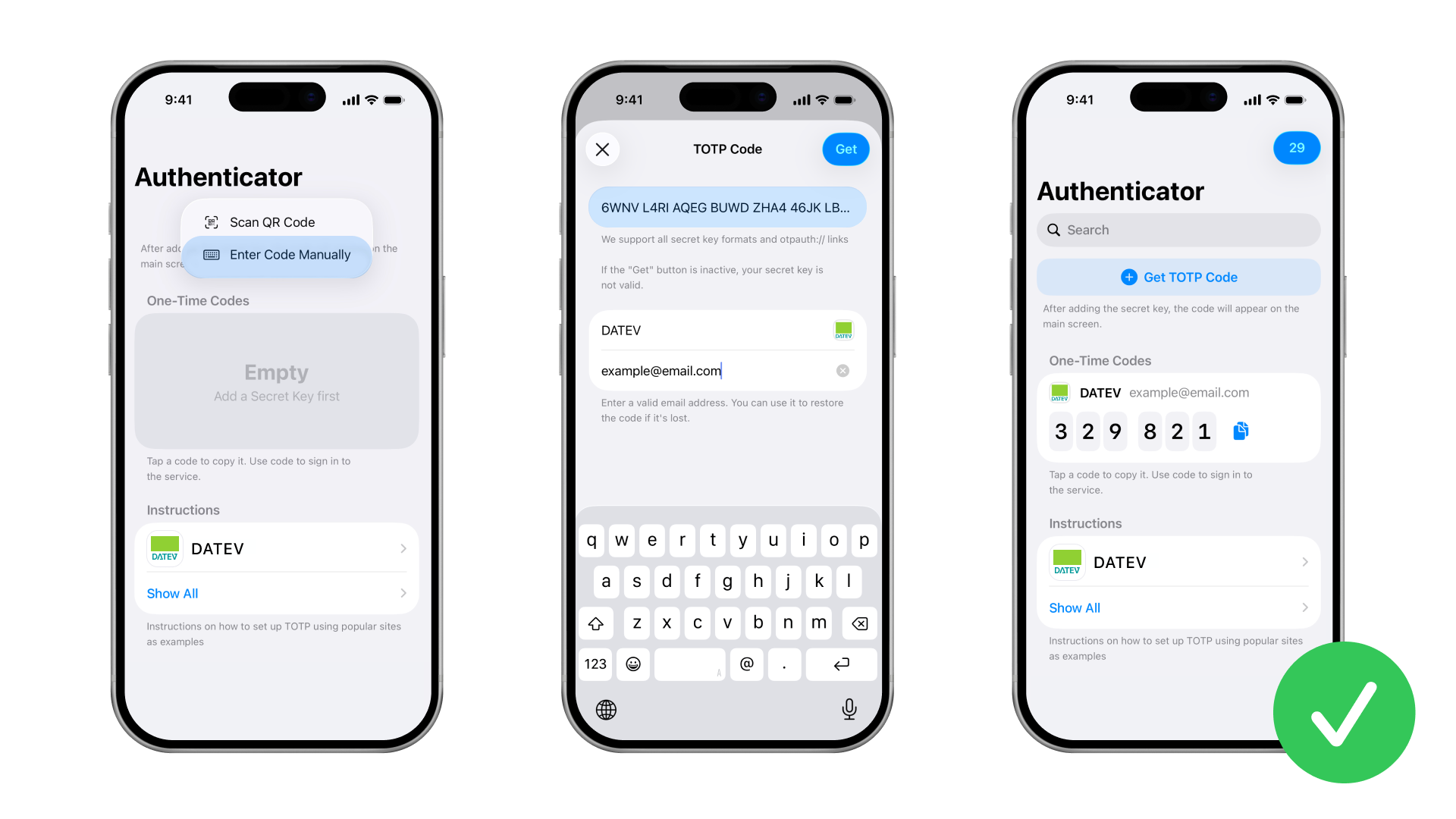
The key must be added to the authenticator app you installed. The authenticator will then use the key to generate TOTP codes for your account.
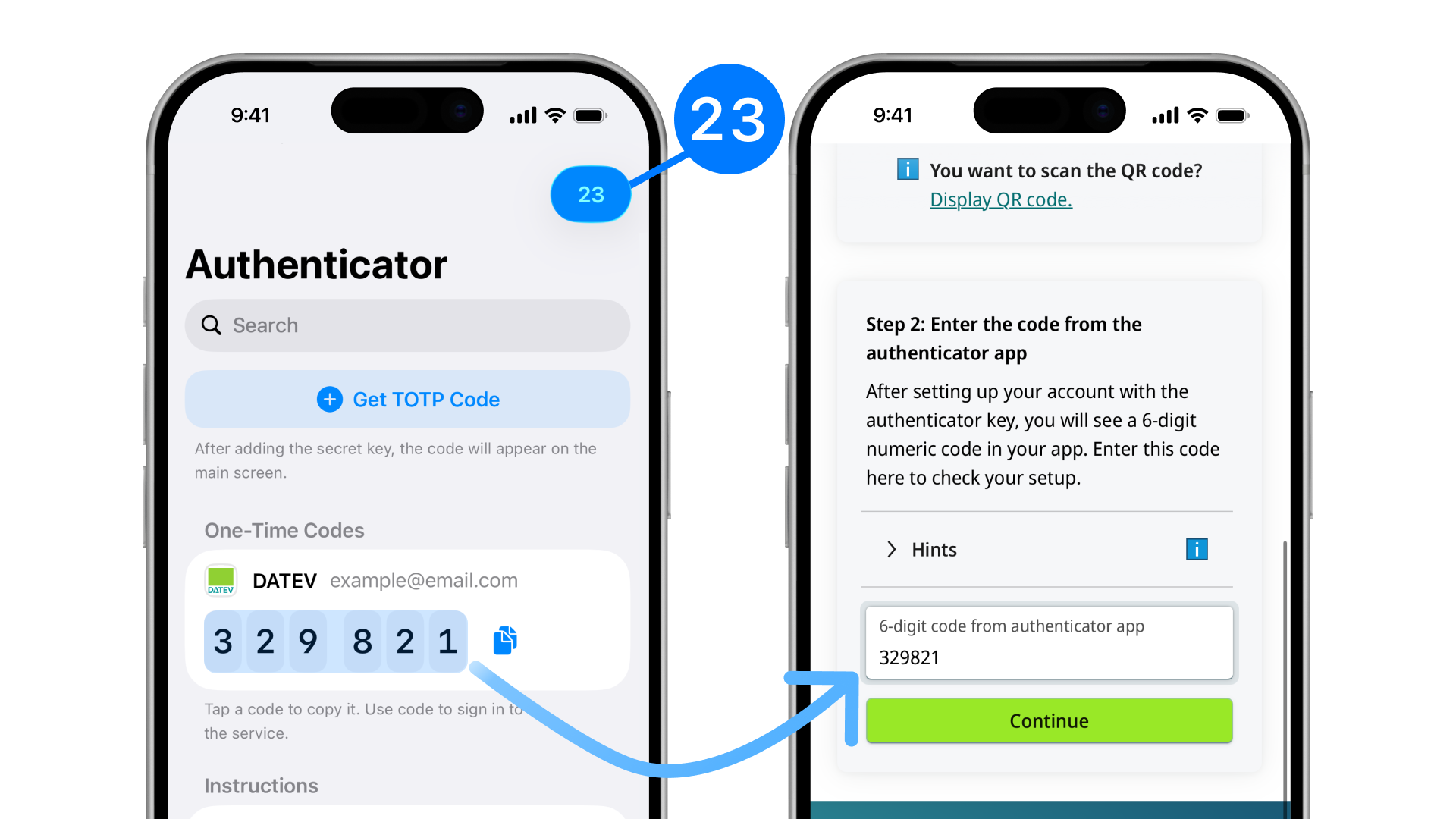
Enter the code from the authenticator into the appropriate field on the DATEV website. Watch the timer: the code changes once the time runs out. Make sure to enter it in DATEV and click “Continue” before the timer expires.
Done. Now, when signing in to your account, you'll need to enter your username, your password, and a one-time TOTP code from the app.
Changed or lost your phone? Keys from the TOTP Authenticator app can be restored by email.